



Take it with you
1. Ibutang kini sa imong telepono ⚠
Free Bible studies and quizzes in Cebuano. Works offline.
Choose the icon BEFORE you add the app - that is when it is set.
The cross version is called See More Jesus on your home screen. The plain eclipse is called just See More. Same app, same studies, same saved progress - only the name and the picture differ.
Need a discreet icon?
Or a discreet icon. In some places a Bible app on a home screen is not safe. These open a real block-puzzle game; holding Pause opens the studies behind it.
Ang lahi nga icon idugang gikan sa browser, dili gikan sa sulod sa app. Ablihi kini nga panid sa Chrome o Safari. Makopya ang address kung ituktok ang buton.
On iPhone you must use Safari. Other browsers cannot add the app. Did this page open inside WhatsApp or Facebook? Then choose Open in Safari first.
Kung walay mahitabo sa maong buton: kopyaha kini nga link, ablihi ang Safari, i-paste kini, unya i-tap ang Share, unya i-tap ang Add to Home Screen. Pangitaa ang Share icon sa ubos sa Safari. Kwadrado kini nga adunay pana nga nagtudlo paingon sa taas. Dili kini ang Share button niini nga page.
To use a different picture: 1. Pick the one you want above. 2. Tap Install. 3. Press and hold the old icon on your home screen and remove it. Your saved work is kept. It belongs to the website, not to the icon.
A 4-digit code for the game screen. Only if you want one. It stays on this phone. It is never sent anywhere. You can remove it here at any time.
Kon makalimtan mo ang code, kuhaa ang data niining site sa imong browser. Kuhaon usab niini ang imong gitipigan nga buluhaton.
2. Keep this whole edition on your phone
Best on Wi-Fi.
Your browser may clear this if space runs low.
3. Ipaambit sa uban ⚠
Pilia una ang ilang pinulongan sa ubos. Unya pilia ang usa sa duha nga paagi aron makaabot kanila: ipakita ang QR code o ipadala ang link aron mainstall nila ang tibuok app (kini nagkinahanglan og internet sa makausa), o pilia ang usa ka panid sa ubos ug ipadala kini isip file. Ang file wala magkinahanglan og internet, mao nga kini molihok pinaagi sa WhatsApp, Bluetooth o SD card.
Ihatag kanila ang app
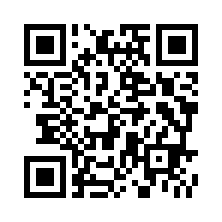
Kini nagpadala sa link ngadto sa laing tawo. Wala niini gidugang ang app niini nga telepono.
Ipadala ang usa ka panid isip file (dili kinahanglan ang internet)
Sharing spreads the Word, not your record. Your quiz scores and your certificate stay on this phone under your name; whoever you share with starts their own.