



Take it with you
1. Tsɔe de wò telefon dzi ⚠
Free Bible studies and quizzes in eʋegbe. Works offline.
Choose the icon BEFORE you add the app - that is when it is set.
The cross version is called See More Jesus on your home screen. The plain eclipse is called just See More. Same app, same studies, same saved progress - only the name and the picture differ.
Need a discreet icon?
Or a discreet icon. In some places a Bible app on a home screen is not safe. These open a real block-puzzle game; holding Pause opens the studies behind it.
Dzesi bubu wotsɔ ɖo tso browser la me, menye tso app la ememe o. Ʒu axa sia le Chrome alo Safari me. Woaɖɔ address la ne èka asi button la dzi.
On iPhone you must use Safari. Other browsers cannot add the app. Did this page open inside WhatsApp or Facebook? Then choose Open in Safari first.
Ne esia mewɔ naneke o: kɔ kpaɖodzinu sia, ʋu Safari, tsɔe da ɖe eme, emegbe ka asi Share dzi, emegbe ka asi Add to Home Screen dzi. Di Share ƒe nɔnɔmetata si le Safari te la. Enye aɖaka si me aŋutrɔ si fia dziƒo le. Menye Share si le axa sia dzi o.
To use a different picture: 1. Pick the one you want above. 2. Tap Install. 3. Press and hold the old icon on your home screen and remove it. Your saved work is kept. It belongs to the website, not to the icon.
A 4-digit code for the game screen. Only if you want one. It stays on this phone. It is never sent anywhere. You can remove it here at any time.
Ne dzesi la va bu na wò, tutu ame sia ƒe nya tso wò browser la me. Ema hã aɖe wò dɔ si nèdzra ɖo la ɖa.
2. Keep this whole edition on your phone
Best on Wi-Fi.
Your browser may clear this if space runs low.
3. Tsɔe na ame bubuwo ⚠
Gbã, tia woƒe gbegbɔgblɔ le gbɔto. Emegbe, tia mɔ eve siwo dometɔ ɖeka be woaɖo asi wo dzi: fia QR kode la alo ɖo kpaɖodzinu la ɖa be woatsɔ app blibo la aɖo (esia hiã internet zi ɖeka), alo tia axa ɖeka le gbɔto eye ɖoe ɖa abe faili ene. Faili mehiã internet kura o, eya ta ewɔa dɔ le WhatsApp, Bluetooth alo SD card dzi.
Tsɔ app la na wo
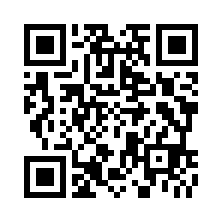
Esia ɖoa kpaɖodzinu la ɖe ame bubu gbɔ. Metsɔa app la kpena ɖe telefon sia ŋu o.
Ɖo axa ɖeka abe faili ene (mele hiã be woazã internet o)
Sharing spreads the Word, not your record. Your quiz scores and your certificate stay on this phone under your name; whoever you share with starts their own.