



Take it with you
1. I-install sa telepono mo
Free Bible studies and quizzes in Tagalog. Works offline.
Choose the icon BEFORE you add the app - that is when it is set.
The cross version is called See More Jesus on your home screen. The plain eclipse is called just See More. Same app, same studies, same saved progress - only the name and the picture differ.
Need a discreet icon?
Or a discreet icon. In some places a Bible app on a home screen is not safe. These open a real block-puzzle game; holding Pause opens the studies behind it.
Isang ibang icon ang idinadagdag mula sa browser, hindi mula sa loob ng app. Buksan ang pahinang ito sa Chrome o Safari. Nakokopya ang address kapag itinapik mo ang button.
On iPhone you must use Safari. Other browsers cannot add the app. Did this page open inside WhatsApp or Facebook? Then choose Open in Safari first.
Kung walang mangyari sa button na iyon: kopyahin ang link na ito, buksan ang Safari, i-paste ito, pagkatapos i-tap ang Share, pagkatapos i-tap ang Add to Home Screen. Hanapin ang icon ng Share sa ibaba ng Safari. Ito ang parisukat na may palasong nakaturo pataas. Hindi ito ang Share button sa pahinang ito.
To use a different picture: 1. Pick the one you want above. 2. Tap Install. 3. Press and hold the old icon on your home screen and remove it. Your saved work is kept. It belongs to the website, not to the icon.
A 4-digit code for the game screen. Only if you want one. It stays on this phone. It is never sent anywhere. You can remove it here at any time.
Kung nakalimutan mo ang code, burahin ang data ng site na ito sa iyong browser. Aalisin din nito ang iyong nai-save na gawa.
2. Keep this whole edition on your phone
Best on Wi-Fi.
Your browser may clear this if space runs low.
3. Ipasa
Unahin muna piliin ang kanilang wika sa ibaba. Pagkatapos, pumili ng isa sa dalawang paraan upang maabot sila: ipakita ang QR code o ipadala ang link upang ma-install nila ang buong app (kailangan nito ng internet nang isang pagkakataon), o pumili ng isang pahina sa ibaba at ipadala ito bilang file. Hindi kailangan ng internet ang file, kaya gumagana ito sa WhatsApp, Bluetooth, o SD card.
Ibigay sa kanila ang app
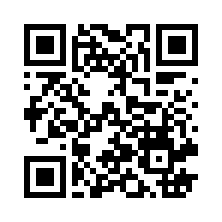
Ipinapadala nito ang link sa ibang tao. Hindi nito idinaragdag ang app sa telepono na ito.
Ipadala ang isang pahina bilang file (hindi kailangan ng internet)
Sharing spreads the Word, not your record. Your quiz scores and your certificate stay on this phone under your name; whoever you share with starts their own.